
Continuation of AngularJS
Example number 29
<html ng-app="countryApp">
  <head>
    <meta charset="utf-8">
    <title>Angular.js Example</title>
    <script src="//cdnjs.cloudflare.com/ajax/libs/angular.js/1.2.1/angular.min.js"></script>
    <script>
      var countryApp = angular.module('countryApp', []);
      countryApp.controller('CountryCtrl', function ($scope, $http){
        $http.get('countries.json').success(function(data) {
          $scope.countries = data;
        });
      });
    </script>
  </head>
  <body ng-controller="CountryCtrl">
    <table>
      <tr>
        <th>Country</th>
        <th>Population</th>
        <th>Flag</th>
        <th>Capital</th>
      </tr>
      <tr ng-repeat="country in countries">
        <td>{{country.name}}</td>
        <td>{{country.population}}</td>
        <td><img ng-src="{{country.flagURL}}" width="100"></td>
        <td>{{country.capital}}</td>
      </tr>
    </table>
  </body>
</html>
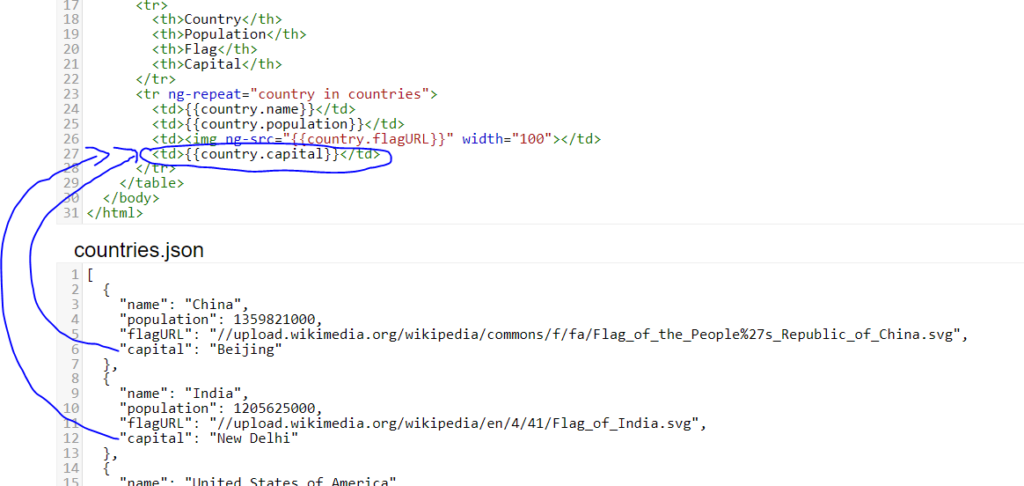
This example represents the simple way to add next column in table by model for countries capitals. Data is extracted from countries.json file where been stored.
Demo version
Another example on next page.