
Example number 47
<html ng-app="countryApp">
  <head>
    <meta charset="utf-8">
    <title>Angular.js Example</title>
    <script src="//cdnjs.cloudflare.com/ajax/libs/angular.js/1.2.10/angular.min.js"></script>
    <script src="//cdnjs.cloudflare.com/ajax/libs/angular.js/1.2.10/angular-route.min.js"></script>
    <script>
      var countryApp = angular.module('countryApp', ['ngRoute']);

      countryApp.config(function($routeProvider) {
        $routeProvider.
          when('/', {
            templateUrl: 'country-list.html',
            controller: 'CountryListCtrl'
          }).
          when('/:countryId', {
            templateUrl: 'country-detail.html',
            controller: 'CountryDetailCtrl'
          }).
          otherwise({
            redirectTo: '/'
          });
      });

      countryApp.factory('countries', function($http){
        return {
          list: function (callback){
            $http({
              method: 'GET',
              url: 'countries.json',
              cache: true
            }).success(callback);
          },
          find: function(id, callback){
            $http({
              method: 'GET',
              url: 'country_' + id + '.json',
              cache: true
            }).success(callback);
          }
        };
      });

      countryApp.directive('country', function(){
        return {
          scope: {
            country: '='
          },
          restrict: 'A',
          templateUrl: 'country.html',
          controller: function($scope, countries){
            console.log($scope.country);
          }
        };
      });

      countryApp.controller('CountryListCtrl', function ($scope, countries){
        countries.list(function(countries) {
          $scope.countries = countries;
        });
      });

      countryApp.controller('CountryDetailCtrl', function ($scope, $routeParams, countries){
        countries.find($routeParams.countryId, function(country) {
          $scope.country = country;
        });
      });

    </script>
  </head>
  <body>
    <div ng-view></div>
  </body>
</html>
This example adding a controller to our custom directive. Directives just like routes can have their own controllers. In code have been define controller that gets the scope and it injects the country’s service that had been created before and create outputs.
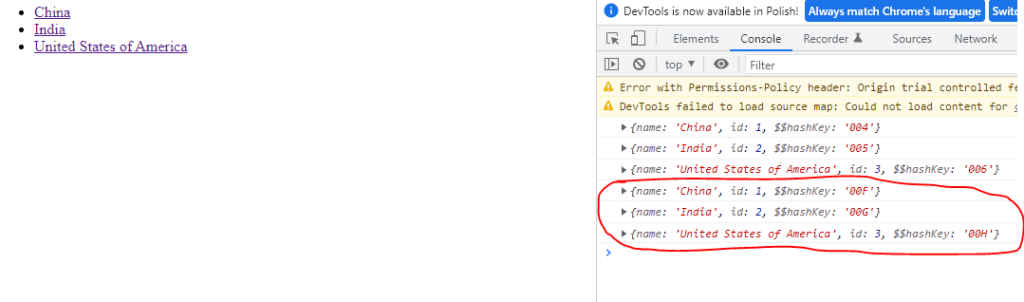
Demo version
Another example on next page.