example no. 14
<!DOCTYPE html>
<html>

<body>

<h2>Looping an Array</h2>
<p id="demo"></p>

<script>
const myJSON = '{"name":"John", "age":30, "cars":["Ford", "BMW", "Fiat"]}';
const myObj = JSON.parse(myJSON);

let text = "";
for (let i in myObj.cars) {
  text += myObj.cars[i] + ", ";
}

document.getElementById("demo").innerHTML = text;
</script>

</body>
</html>
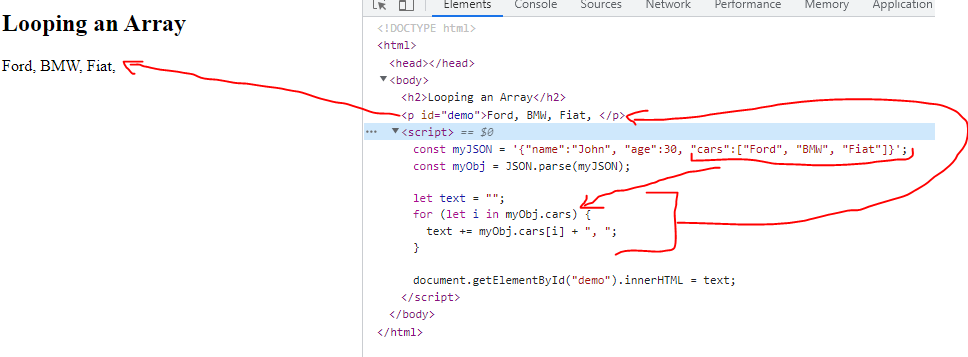
This code demonstrates how to loop through an array in a JavaScript object using a for loop.
First, a JSON string myJSON is declared with an object that has properties name, age, and cars. The JSON.parse() method is used to convert the JSON string into a JavaScript object, which is stored in the variable myObj.
Next, an empty string variable text is declared. A for loop is used to iterate through each element in the cars array property of myObj. The loop uses the for…in statement to iterate over each index of the cars array. The loop body concatenates each element of the cars array followed by a comma and a space to the text variable.
Finally, the concatenated string stored in text is displayed on the web page using the document.getElementById().innerHTML method with the ID „demo”. The displayed result shows a comma-separated list of car brands: „Ford, BMW, Fiat”.